



AI Humanizer Built
for Real Work.
Real semantic rewriting. No character swaps, no injected typos, no tricks. Paste your draft and get content that sounds genuinely human, for any audience, in any language.
- Real rewriting. No tricks.
- 60+ languages supported
- Custom Instructions for precise tone control
Humanizer
Humanization Level
Standard
Recommended
Advanced
EN only
Extreme
Experimental
Keep: "conversion rate", "B2B SaaS"
Purpose: LinkedIn article for founders
DEFINITION
What Is an AI Humanizer.
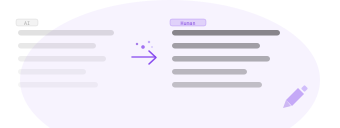
An AI humanizer, sometimes called an AI text humanizer or simply a text humanizer, is a tool that rewrites machine generated text so it reads the way a person would have written it. You paste a draft from ChatGPT, Claude, Gemini, or any other model. The humanizer returns the same content with natural sentence flow, varied rhythm, and none of the patterns that make AI text recognizable.
The term gets used loosely, so it helps to separate three things. Paraphrasing swaps words for synonyms and leaves the structure alone: the sentences keep their machine shape, just with different vocabulary. Rewriting changes the text at the level of sentence construction and rhythm. Humanizing is rewriting with a specific goal: making the result read like human writing while the meaning stays fixed.
HumanTone does the second kind of work, which is why it never describes itself as a paraphraser. Synonym swaps leave structural patterns intact, and structure is exactly what gives machine text away. The rewrite changes how sentences are built. What survives untouched: your facts, numbers, quotes, names, and the argument itself.
UNDER THE HOOD
How Humanization Works.
Machine text is recognizable for structural reasons, and the rewrite targets exactly those.
What gives machine text away.
Sentences of similar length, predictable word choice, repeated transitions, and a rhythm that never varies. Human writing is uneven. Machine writing is smooth in a way that reads as generated, even to people who could not name why.
What the rewrite changes.
The humanizer rebuilds sentences rather than decorating them: it varies length and construction, removes stock phrasing, and breaks the even rhythm. The text stops matching the statistical shape of machine output because its structure genuinely changed.
Why synonym swaps fail.
Replacing words does not touch structure, and structure is the primary machine signal. The same is true of character tricks and injected typos: they corrupt the text without changing how it is built. That is the reason HumanTone does real semantic rewriting and nothing else.
What stays intact.
Facts, figures, quotes, names, links, the order of your sections, and the logic of the argument. The rewrite works on how sentences are constructed, not on what they claim. Custom Instructions let you protect specific terms explicitly.
Every run also shows an AI likelihood score on the result, so you can see how the rewrite changed the text without switching tools. Humanizing reduces AI-like phrasing, but the outcome depends on the type of content and the specific detector, so no particular score is guaranteed.
Humanization Levels
Choose Your Rewrite Depth.
Three levels control how aggressively the text is rewritten. Start with Standard and move up only when you need more variation.
Standard
RecommendedBalanced rewriting for natural tone and consistent structure.
Delivers reliable humanization while preserving meaning and structure. Fully supports Custom Instructions and follows them consistently. The right choice for everyday professional writing, SEO content, and anything where quality and predictability matter.
- 60+ languages supported
- Full Custom Instructions support
- Consistent, predictable output
Advanced
English onlyStronger rewriting with more variation and expressive flexibility.
Provides a noticeably higher level of humanization than Standard with more variation, while still preserving intent and overall structure. Custom Instructions are supported. Best when you want a more pronounced rewrite without losing control or consistency.
- Greater stylistic variation
- Custom Instructions supported
- Still preserves structure
Extreme
ExperimentalMaximum variation prioritizing stylistic expression over precision.
Experimental mode for content on platforms that strictly restrict AI generated text. Prioritizes maximum variation over precision and structure. Custom Instructions are not supported in this mode. Not recommended for SEO or authoritative content.
- Maximum possible variation
- For platforms with strict AI policies
- Custom Instructions not supported
In practice the choice is simpler than it looks. Standard is the working default for anything published under your name: SEO content, client work, documentation, and every language other than English. Advanced earns its place when the Standard output still reads too close to the original draft and you want more distance while keeping Custom Instructions in play.
The visible difference between levels is in sentence shape. Standard keeps the rhythm close to your draft. Advanced varies construction noticeably from sentence to sentence. Extreme rebuilds most of the text and trades precision for variation, which is why it stays experimental: use it only where platform policies leave no room, and expect to review the output more carefully.
Custom Instructions
Your Tone. Your Terms.
Every Time.
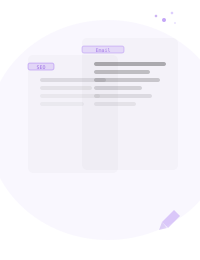
Custom Instructions give you precise control over the rewrite. Define the tone, audience, purpose, formatting rules, and any keywords that must stay unchanged. The model applies your constraints on every run.
- Protected terms: brand names and target keywords stay exactly as written
- Banned words: phrases the rewrite must never introduce
- Format limits: paragraph length, whether lists are allowed
- Audience and tone: who reads the text and how it should sound
Custom Instructions
- Purpose: SEO article for home security buyers
- Tone: clear, trustworthy, not overly formal
- Audience: homeowners aged 30 to 55
- Keep terms: "smart lock", "home security system"
- Format: short paragraphs, no bullet lists
How It Works
From AI Draft to Human Text.
In Seconds.
Paste your draft
Paste any AI generated text into the editor. Any length, any format, and any language supported by your chosen level.
Set your level and instructions
Choose a humanization level. Optionally add Custom Instructions to control tone, audience, keywords, and formatting.
Copy your result
Click Process Text. Copy the output as HTML, formatted text, or plain text. Regenerate for a new variation if needed.
LANGUAGES
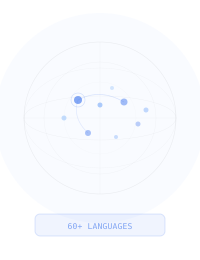
Humanize AI Text in 60+ Languages.
Most humanizers in the niche support only a handful of languages, because their rewriting is tuned on English data. Machine patterns look different in different languages: sentence rhythm, connectors, and stock phrasing are language specific, and an approach trained on English produces weak rewrites everywhere else.
The Standard level supports 60+ languages with consistent behaviour across supported languages. Advanced and Extreme work with English only, so if you write in Spanish, German, Japanese, or any other supported language, Standard is the level to use. This is real rewriting in the target language, not translation and not an English rewrite applied to foreign text.
Every supported language has its own page with details and examples. Start from the languages hub.
Features
Built for Professional Output.
Every detail is designed for people who publish at scale and need consistent quality on every piece.
Structure Preserved
Paragraphs, headings, and lists stay intact. The tool rewrites the language, not the layout.
60+ Languages
High quality rewriting in over 60 languages with the Standard level. Not literal translation.
Multiple Output Formats
Copy results as HTML, formatted text, or plain text. Works with any publishing workflow.
Projects and Iterations
Content is saved in projects. Reopen any rewrite, regenerate variations, and iterate until it reads right.
WHO USES IT
Who Uses HumanTone.
People who produce text at scale and need every piece to sound like it was written, not generated.
SEO SPECIALISTS
Publish at volume without every article reading like the same model wrote it. Custom Instructions keep target keywords and terminology exactly where the brief needs them.
CONTENT TEAMS
One brand voice across every writer and every batch. A saved instruction set applies the same tone and rules to each draft, so the output stays consistent as the team scales.
MARKETING AGENCIES
A different voice for every client. Keep one instruction set per account and switch between them per project, instead of rebriefing the tone from scratch each time.
FREELANCE WRITERS
A faster path from first draft to final text. Generate the draft with whatever model you prefer, then rewrite it into your own working voice in one pass.
DEVELOPERS
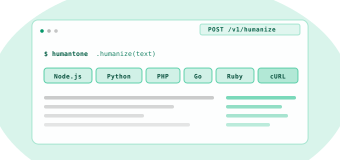
The same rewriting engine, programmatically. Send drafts through the API and build humanization into your own pipeline. Available on all paid plans.
AUTOMATION
Humanize AI Text Programmatically.
Everything the humanizer does in the browser is also available as an endpoint. The HumanTone API takes text and Custom Instructions, returns the rewrite as JSON, and runs on the same credits as your account. It is available on all paid plans.
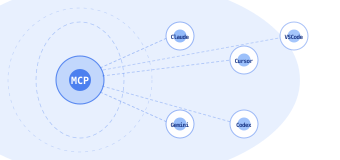
For work inside AI assistants and editors, the MCP server connects HumanTone to your assistant with one config snippet. For automation platforms, there are ready configurations for n8n and Make, so a scenario can humanize drafts as a step in a bigger workflow.
Check the score before and after.
The free AI Detector returns an AI likelihood score for any text. Score the draft, humanize it, and score the result: the rewrite reduces AI-like phrasing, and the two numbers show by how much. The outcome depends on the type of content and the specific detector, so no particular score is guaranteed.
OUR POSITION
Using HumanTone Responsibly.
HumanTone is built to improve how text reads: clarity, natural voice, and consistency across everything you publish. It is not built for concealing the use of AI from people who evaluate or pay for your work, and we do not position it that way.
What goes out under your name remains your responsibility. That includes checking facts, figures, and claims before publishing, whichever tool produced the draft. The strongest use of the humanizer is also the simplest one: better drafts, faster, in a voice that is recognizably yours.
FAQ
Questions &
Answers.
Everything you need to know before you start.
Content That Sounds Human.
Published Faster.
Start with 1,000 free words. No credit card. See the result in seconds.