




Text Compare:
Find Every Difference.
Paste two versions of any text and instantly see the differences. Word by word, line by line. Free and private. Runs entirely in your browser.
- No sign-up required
- No limits
- Runs in your browser
DEFINITION
What Is Text Comparison.
Text comparison puts two versions of a text against each other and shows what was added, what was removed, and what stayed the same. The same tool goes by several names: text compare, text diff, or difference checker. Diff is short for difference, and the abbreviation became the standard name for this kind of tool in software development, where comparing file versions is a daily task.
Comparing prose is a different job from comparing code. Code tools work line by line, because code is organized in lines. Writing is organized in sentences and paragraphs, so a useful text comparison has to work word by word. That is what this tool does: paste both versions above and every difference appears in seconds, additions in green, deletions in red.
HOW IT WORKS
Two Texts.
Every Change Visible.
Paste Both Versions
Put your original text on the left and the updated version on the right. Plain text, HTML, or any mix.
Click Compare
The comparison engine runs in your browser the moment you click. No upload. No waiting.
Green Means Added
Added words are highlighted in green. Removed words appear in red with a strikethrough. Unchanged text stays neutral.
Inline or Side by Side
Inline view shows changes in a single block. Side by side puts original and edited text in two columns for a cleaner review.
UNDER THE HOOD
How Word Level Comparison Works.
Words, not lines.
A line based diff marks a whole line as changed even when a single word moved, which is fine for code and unreadable for prose. Word level comparison marks only the words that actually changed, so a one word edit in a long paragraph shows up as exactly that.
The longest common sequence.
The algorithm finds the longest sequence of words that both versions share. Everything outside that shared sequence is marked as an insertion or a deletion. That single rule produces the entire picture you see: there is no guessing and no interpretation involved.
How to read the result.
Green text exists in the new version but not the original. Red strikethrough text existed in the original and was removed. Neutral text is identical in both. If two words swapped places, you will see one deletion and one insertion, because that is literally what happened.
Two views, one comparison.
Inline view merges everything into one annotated block, which is fastest to scan for short texts. Side by side view aligns the two versions in columns, which stays readable on long documents. The comparison underneath is the same. Only the projection changes.
Under the hood the tool runs the Myers diff algorithm, the same approach version control systems use to compare file revisions, implemented in plain JavaScript with no external libraries. That is also why it can run entirely in your browser.
PRIVACY
Everything Runs in Your Browser.
Most online comparison tools send your text to a server to process it. This one does not. The entire comparison runs in your browser: nothing is uploaded, nothing is stored, nothing is logged. Close the tab and the text is gone.
For most drafts this is a convenience. For legal documents, medical text, financial reports, and unreleased client work it is the difference between being allowed to use the tool and not. If your confidentiality rules say the text cannot leave your machine, it does not.
Local processing also removes the usual size cap. There is no server quota to protect, so the tool has no hard length limit: very large texts simply take a moment longer on your device.
USE CASES
Where Text Compare
Earns Its Keep.
Review Humanizer Output
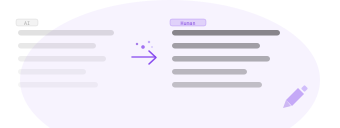
Paste your original AI draft and the humanized result. An AI text compare in one step: see exactly which sentences were rewritten and which stayed the same. Works with the Humanizer or any other rewriting tool.
Track Edits Before Publishing
Compare a draft to its revised version before it goes live. Useful for any review step where precise change tracking matters.
Show Clients What Changed
When a client asks what was updated, show them. A visual comparison is faster and clearer than explaining changes in prose.
Compare Any Two Versions
Blog posts, product descriptions, email copy, landing page sections. Any text that gets revised can be compared here.
Compare Translation Versions
Put two versions of translated or localized copy side by side and see what a reviewer changed, in any language. If you also rewrite content in other languages, see the supported languages.
See What Your Editor Changed
When a document comes back from an editor or reviewer without tracked changes, paste both versions and see every edit in seconds instead of rereading the whole text.
Text Compare shows what changed. The AI Detector shows how the text reads, and the Readability Checker shows how hard it is to read. All three are free and work on the same draft.
FAQ
Questions &
Answers.
Everything you need to know before you start.
Content That Sounds Human.
Published Faster.
Start with 1,000 free words. No credit card. See the result in seconds.